
How Can We Help?
Search for answers or browse our knowledge base.
General
Free Forever User
Table of Contents
Print
App Dashboard & Menus
Posted
Updated
ByTheNoosomMngr
Noosom: App Dashboard & Menu
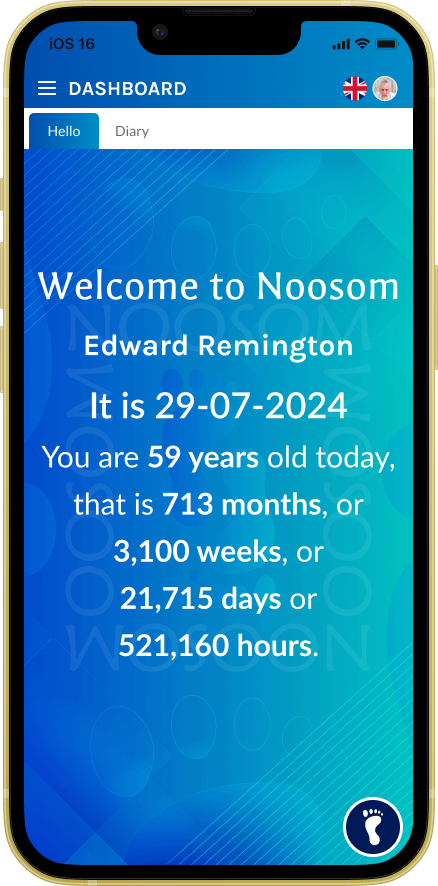
App Dashboard: HELLO
Once you log into the application, the user will be greeted by our welcome hello message. Each item on the upper tab will open a new view for you.
Hello Tab: This is your main dashboard home page.
Diary / Journal: This is dynamic to what you call your app as when you sign up. We have kept diary as default.
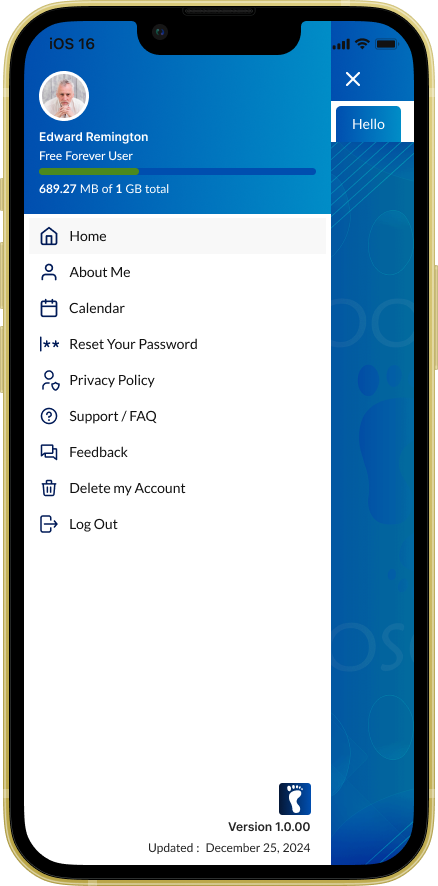
App Dashboard: MENU
A simple menu – Each item is explained below:
- About Me
- Calendar
- Reset Your Password
- Privacy Policy
- Support / FAQ
- Feedback
- Delete my Account
- Log Out
Was this article helpful?
0 out of 5 stars
| 5 Stars | 0% | |
| 4 Stars | 0% | |
| 3 Stars | 0% | |
| 2 Stars | 0% | |
| 1 Stars | 0% |
5